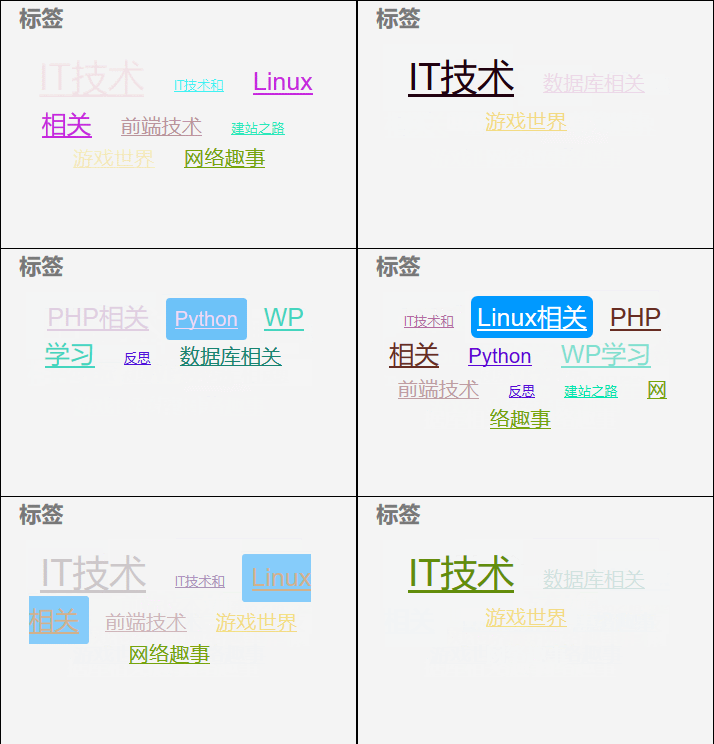
最近为博客添加了一个动态标签云效果
看起来还不错分享给大家
1.修改/htdocs/wp-content/themes/mini下的functions.php 文件, 新增以下内容
注意:替换 mini 为当前使用的主题名
/* 彩色标签 */
function colorCloud($text) {
$text = preg_replace_callback(‘|<a (.+?)>|i’,‘colorCloudCallback’, $text);
return $text;
}
function colorCloudCallback($matches) {
$text = $matches[1];
$color = dechex(rand(0,16777215));
$pattern = ‘/style=(\’|\”)(.*)(\’|\”)/i’;
$text = preg_replace($pattern, “style=\”color:#{$color};$2;\”“, $text);
return “<a $text>”;
}
add_filter(‘wp_tag_cloud’, ‘colorCloud’, 1);
2.需要准备的2个文件
colorful_tags.js
<<colorful_tags.js>>
colorful_tags.css
<<colorful_tags.css>>
3.将这两个文件上传到对应的两个目录下
/htdocs/wp-content/themes/mini/js
/htdocs/wp-content/themes/mini/css
4.修改/htdocs/wp-content/themes/mini 下的header.php文件
在</head>标签前添加以下2行
<link href=“/wp-content/themes/mini/css/colorful_tags.css” rel=“stylesheet” type=“text/css”/>
<script src=‘/wp-content/themes/mini/js/colorful_tags.js’ type=“text/javascript”></script>
注意是在</head>标签之前添加
5.最终效果如下图:
下面是js文件与css文件